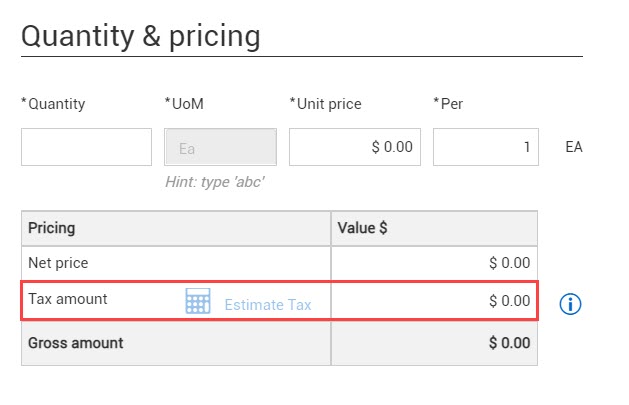
Quantity & pricing section
Under Quantity & pricing, you can enter your quantity, unit of measure, and price for the line item and then click Estimate tax. When it comes back, you get a response when the fields are completed. That is when the tax is calculated, because the tax component lives outside of your ERP system, but Contract must retrieve that tax information from your ERP system prior to calculating. If the organization has been configured to Allow edits to Is taxable field (organization Settings > Contract > Configurations > Line item type configuration), the Is taxable check box shows above the pricing summary for the line item. This check box defaults to selected. The taxes for the line are estimated either from project settings or from a third-party integration. When the Is taxable box is not selected, no taxes are estimated from project settings. Any tax information that is provided in the Tax request response, purchase order response, or manually uploaded via LogicApps file are shown regardless of the Is taxable check box and are considered when calculating taxes on payment form line item.
Click the Information icon to see estimated tax information based on the project settings.